Carousel or Single Photo? The Instagram Format and Size That Got My Posts the Most Reach
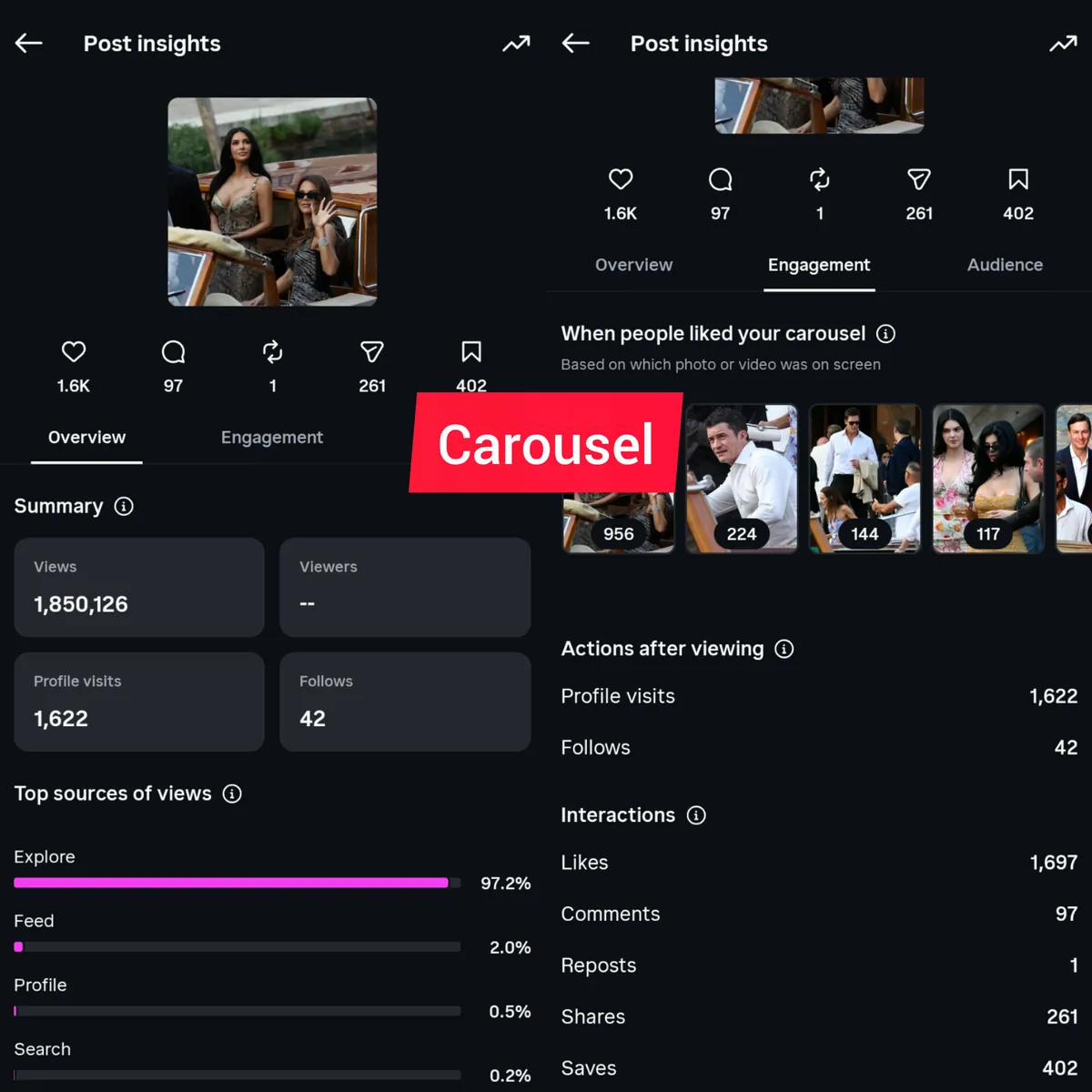
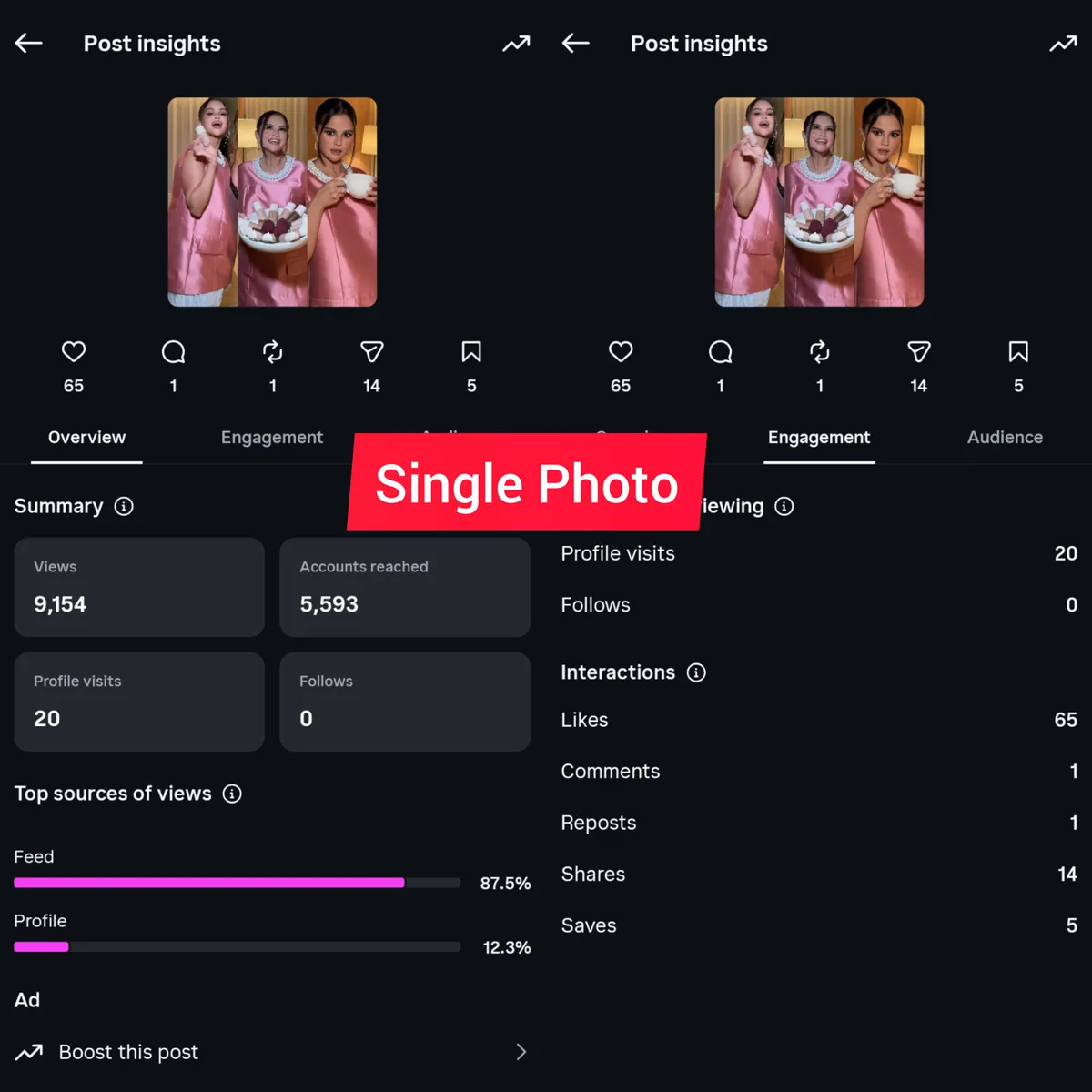
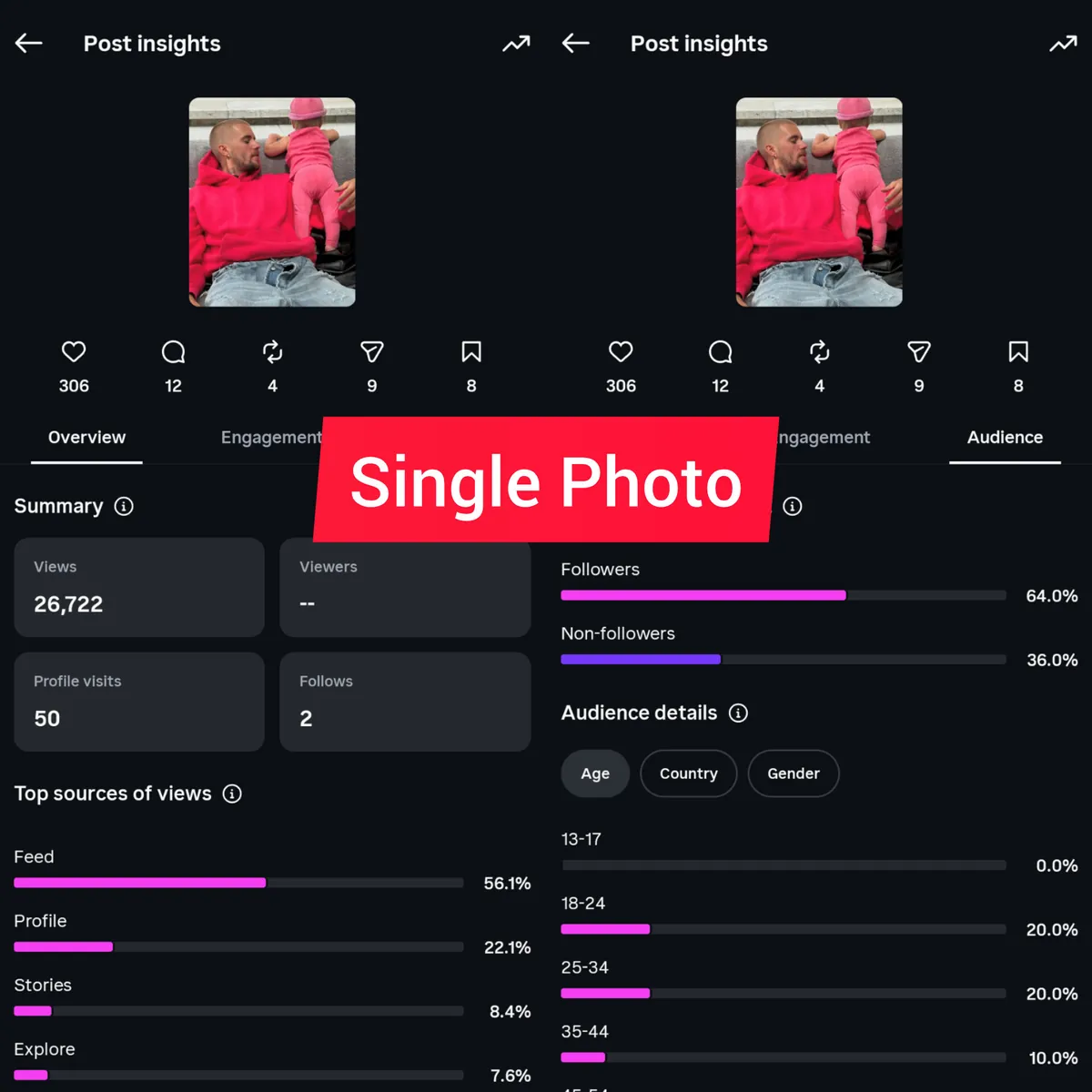
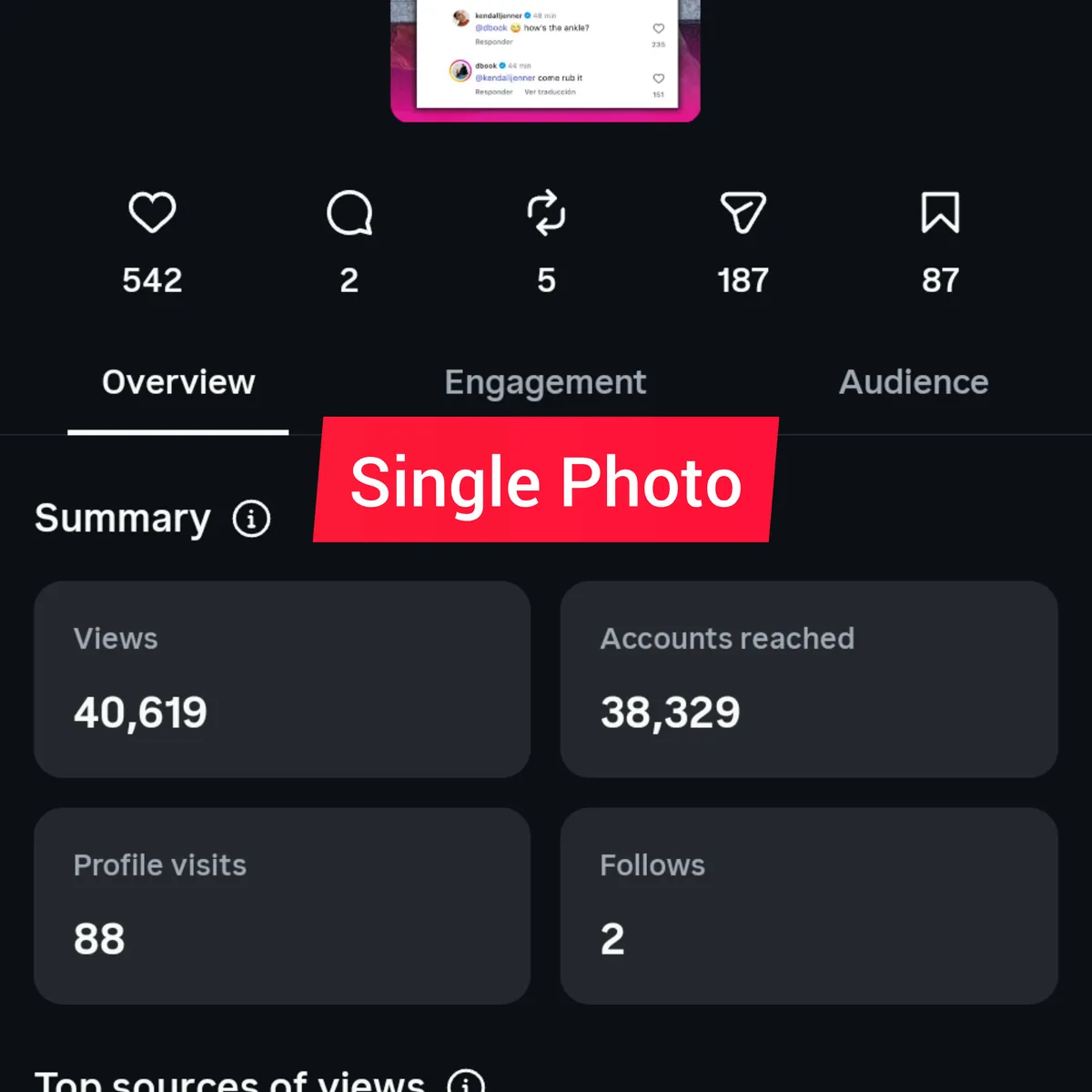
In September I posted a single photo on one of my Instagram pages. It reached 38,038 views and brought one new follower. Nearly six weeks later I posted a carousel on the same page, in the same niche. It reached 149,126 views and brought 19.
The two posts were about different stories, so one pair on its own proves little. I show it because it is the clearest example I have of something I have seen again and again in my own tests: the format and the size of an image post have a real impact on how far it travels. The story matters too, but the format is the part you control every time, and it is a must to get right.
I have grown three Instagram pages without paying for a single ad, to 105,000, 56,000 and 180,000 followers, and I have run news pages and a news website for more than six years. Every tip below comes from my own pages. I compared up to 15 of my posts, single photos with carousels and 1050×1050 with 1080×1350, in the same niche and in different niches, with the same content and with different content. I trust these tips because I have seen them work again and again, and this guide shows the numbers behind them.
The sizes that reached the most people, ranked
This is the order I got from up to 15 posts on my pages, from the most reach to the least:
- A carousel of 6 to 8 images at 1080×1350. The best by far. In my tests, carousels like this averaged 28 times the views of single photos.
- A carousel of 2 to 4 images at 1080×1350. Same size, fewer slides, a little less reach.
- A carousel of 6 to 8 images at 1050×1050. The square size still does well, but it comes after both 4:5 versions.
Single photos can still work, and some of mine did well. But across my tests they tended to reach fewer people than any of the three carousels above.
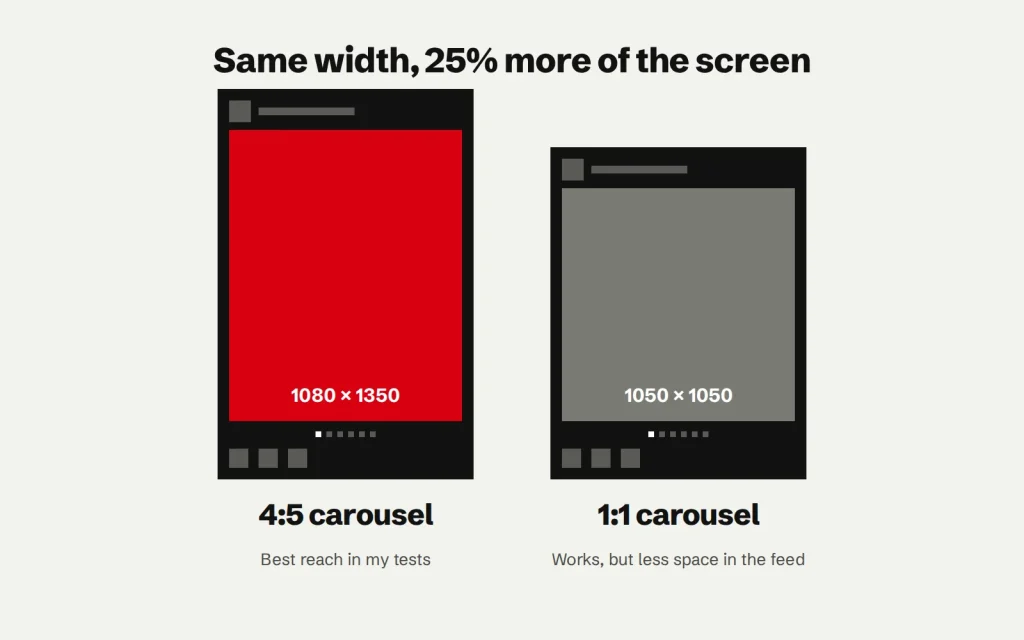
So if you remember one number from this guide, make it 1080×1350. The square 1050×1050 also works well, it just comes second.
Why 1080×1350 does better than square
On a phone, Instagram shows both sizes at the full width of the screen. The difference is the shape: a 4:5 post is 1.25 times as tall as it is wide, and a square is not taller at all. In the feed, a 4:5 post simply covers more of the screen, and while it is on the screen, there is less of anything else for the eye to go to.
As for why carousels beat single photos, I cannot prove the cause, but my explanation from watching the numbers for years is time. Every swipe is one more image to look at, so people stay on a carousel longer than on a single photo, and the posts people stay on are the ones I see travel further.
Two posts from the same page, side by side
Here are the insights of the two posts from the start of this guide. The first is the single photo, the second is the carousel at 1080×1350. As you can see, the carousel got far more views. It also got more of everything else that matters for a page: 471 profile visits against 30, 1,409 shares against 63, and 19 new followers against one.
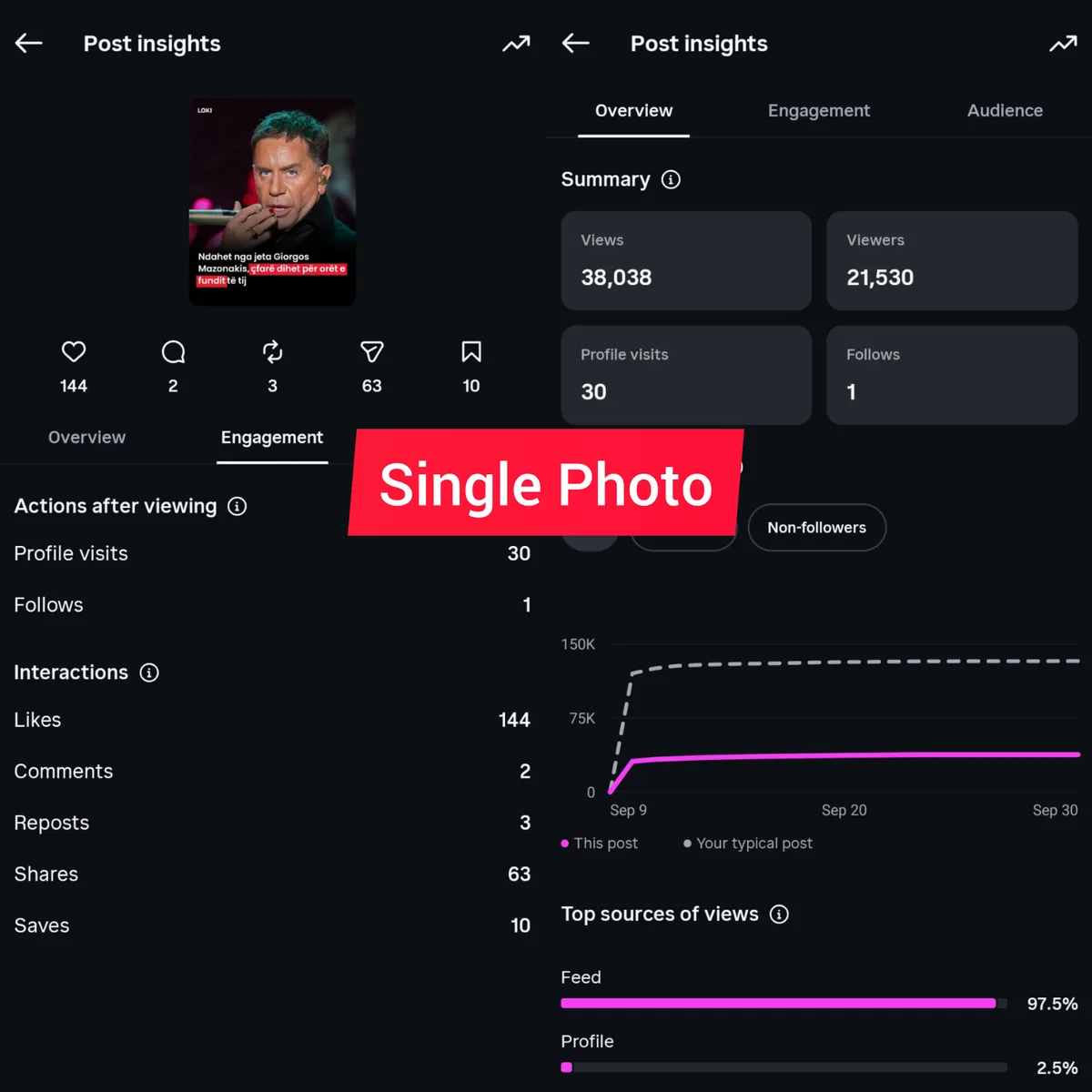
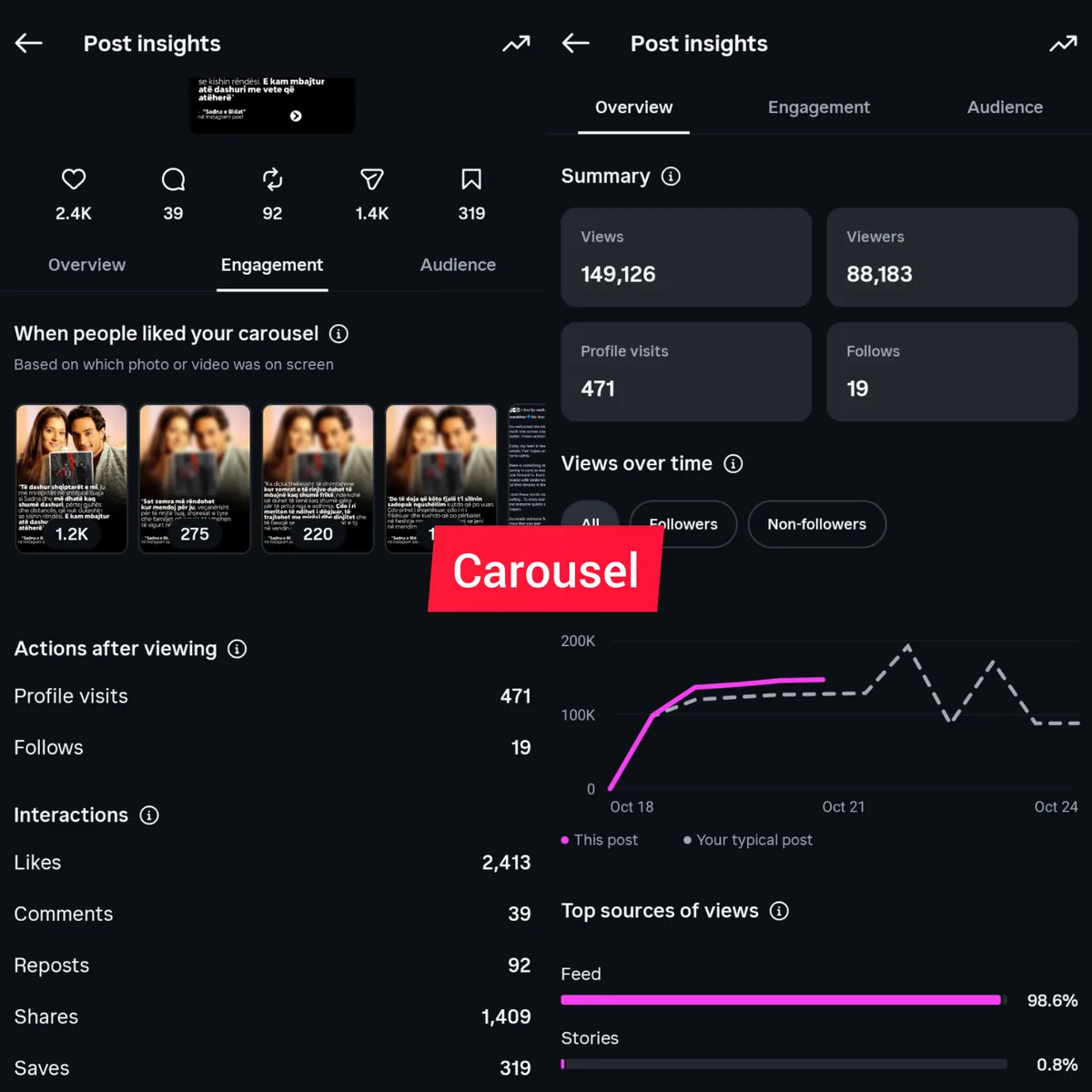
In this pair the gap is almost four times the views, which is actually smaller than my average: across my tests, carousels averaged 28 times the views of single photos. That is the difference between a post that stays with your followers and a post that reaches new people.
My carousels against my single photos, in numbers
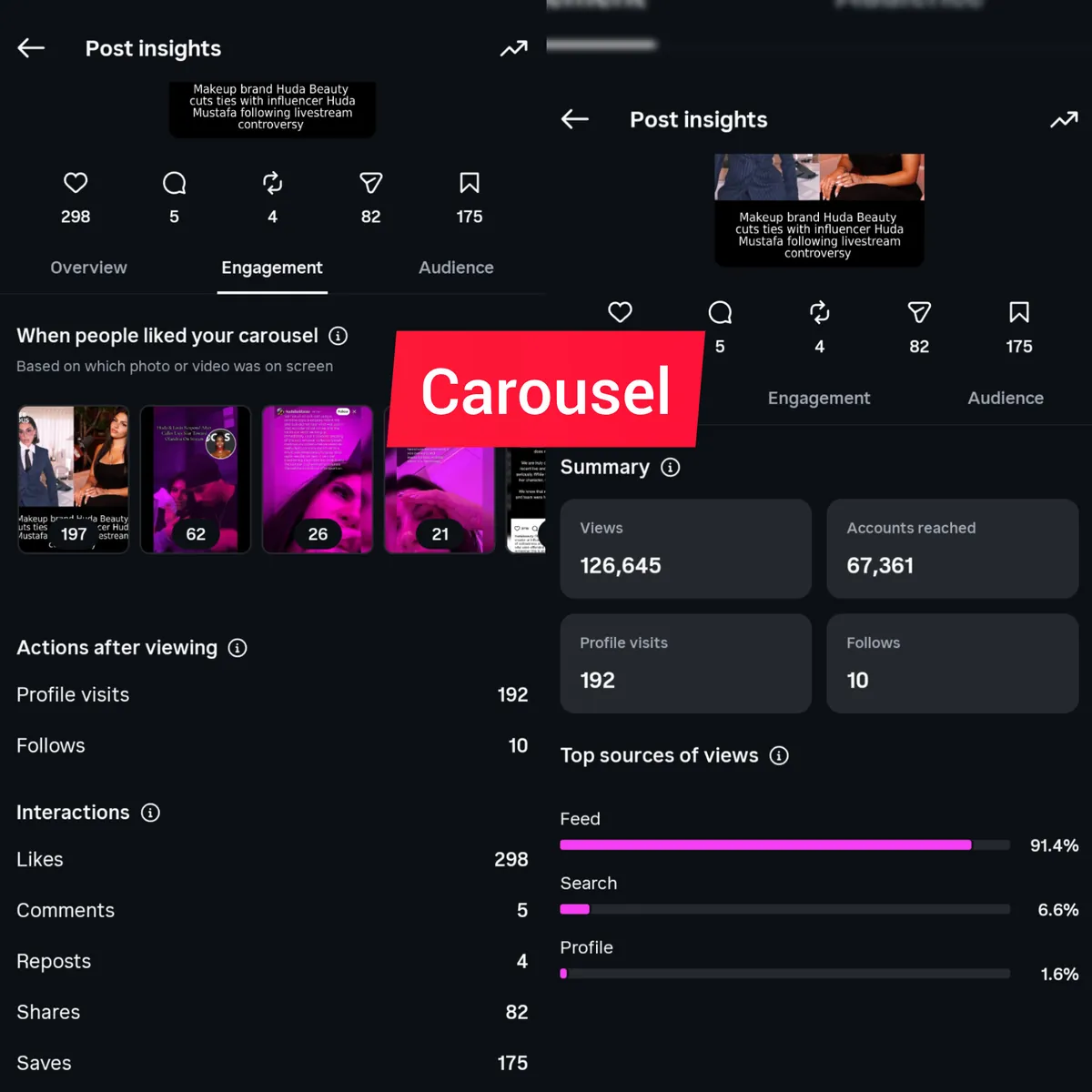
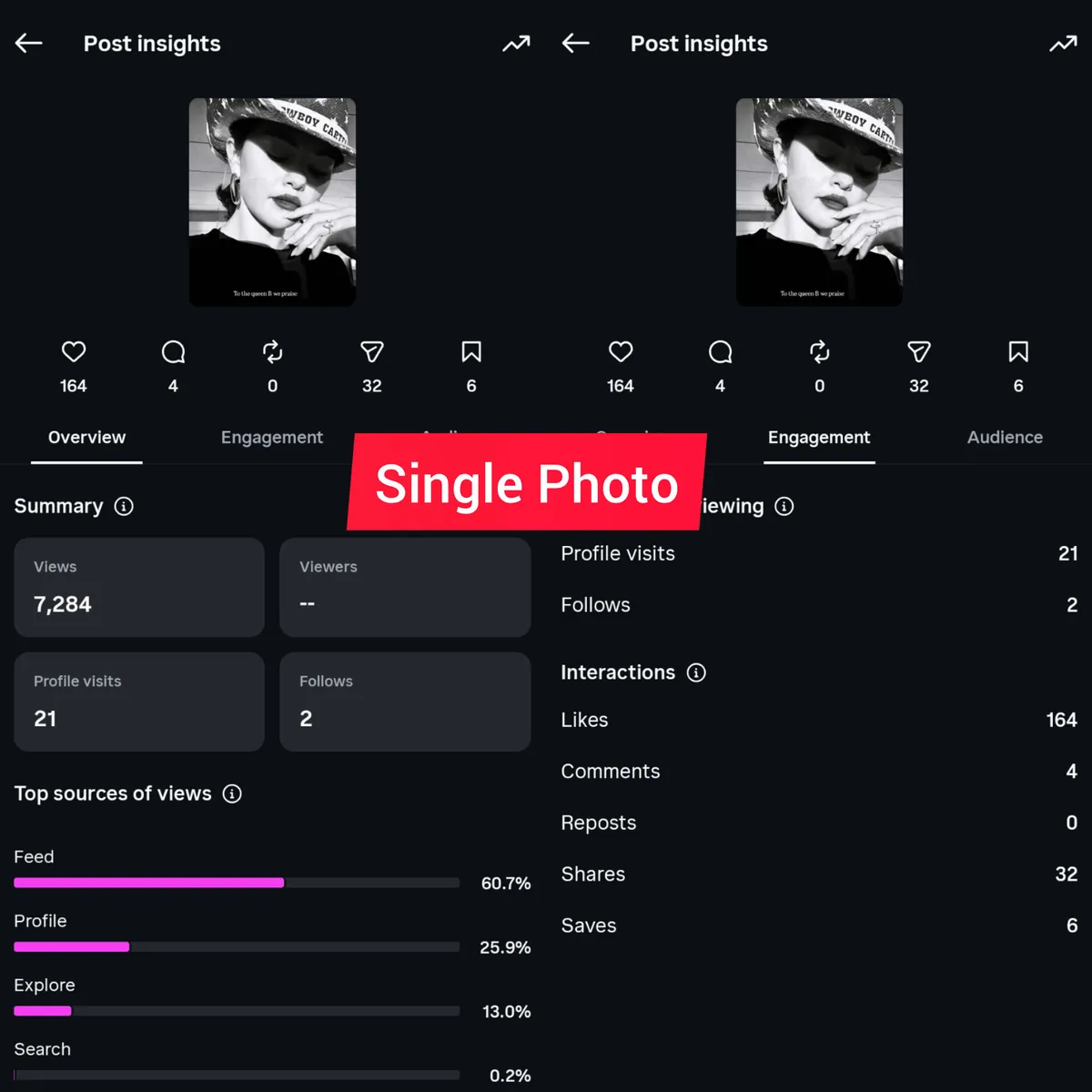
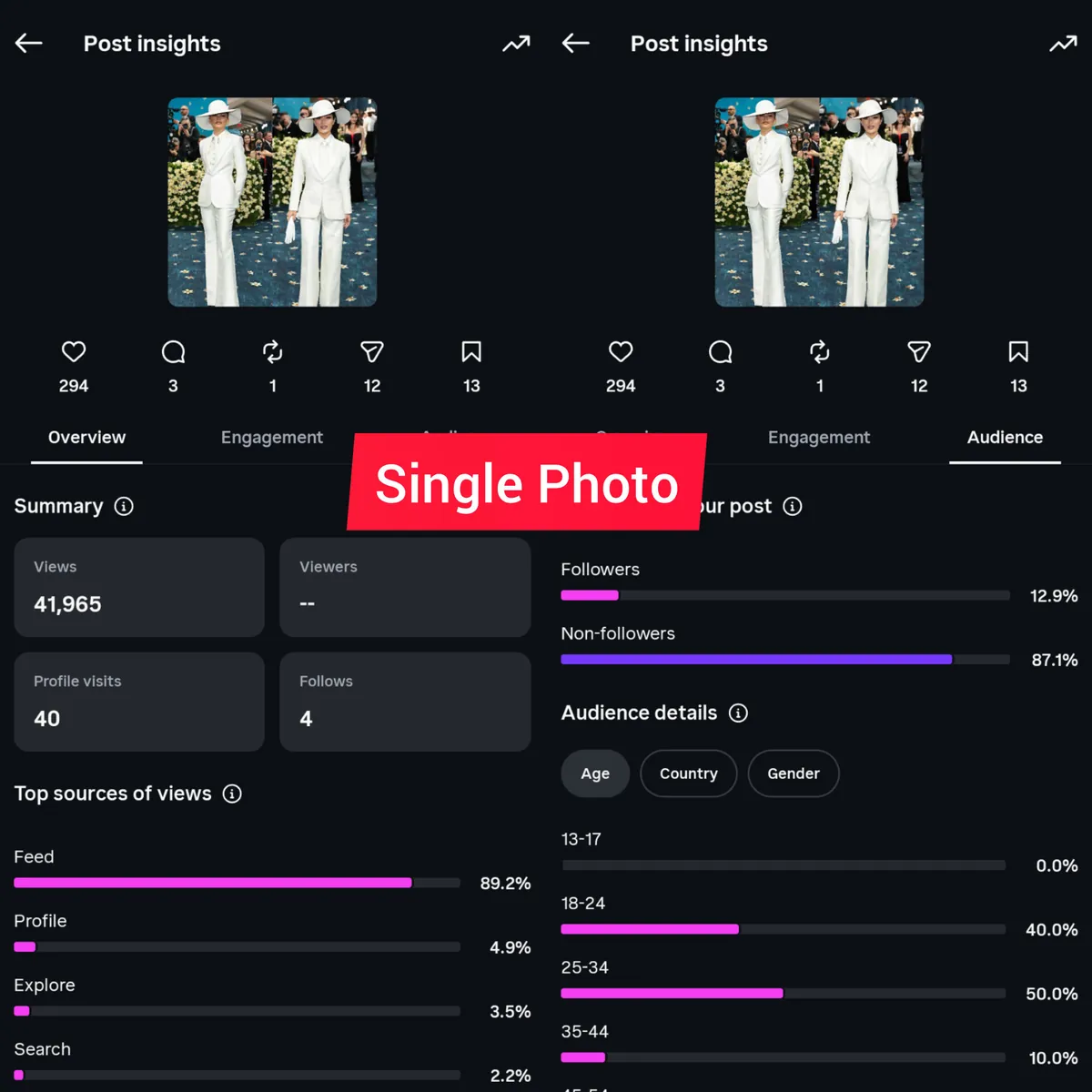
The ranking above comes from up to 15 posts I compared on my pages, single photos against carousels. Below are their insights, including the two above, and these are their averages, worked out from the screenshots themselves.
| Average per post | Carousels | Single photos |
|---|---|---|
| Views | 771,254 | 27,297 |
| Profile visits | 1,656 | 42 |
| New followers | 149 | 1.8 |
| Shares | 1,619 | 53 |
| Saves | 2,555 | 22 |
On average the carousels got 28 times the views of the single photos, 40 times the profile visits and 81 times the new followers. Even taking the middle post of each group, so that one huge post cannot pull the average up, the middle carousel had 837,839 views against 32,380 for the middle single photo: about 26 times more.
Read these numbers fairly. The stories were different from post to post, so do not expect every carousel to reach exactly 28 times more than a single photo. But every carousel here got more views than every single photo, the weakest carousel included, and that is why I recommend them.
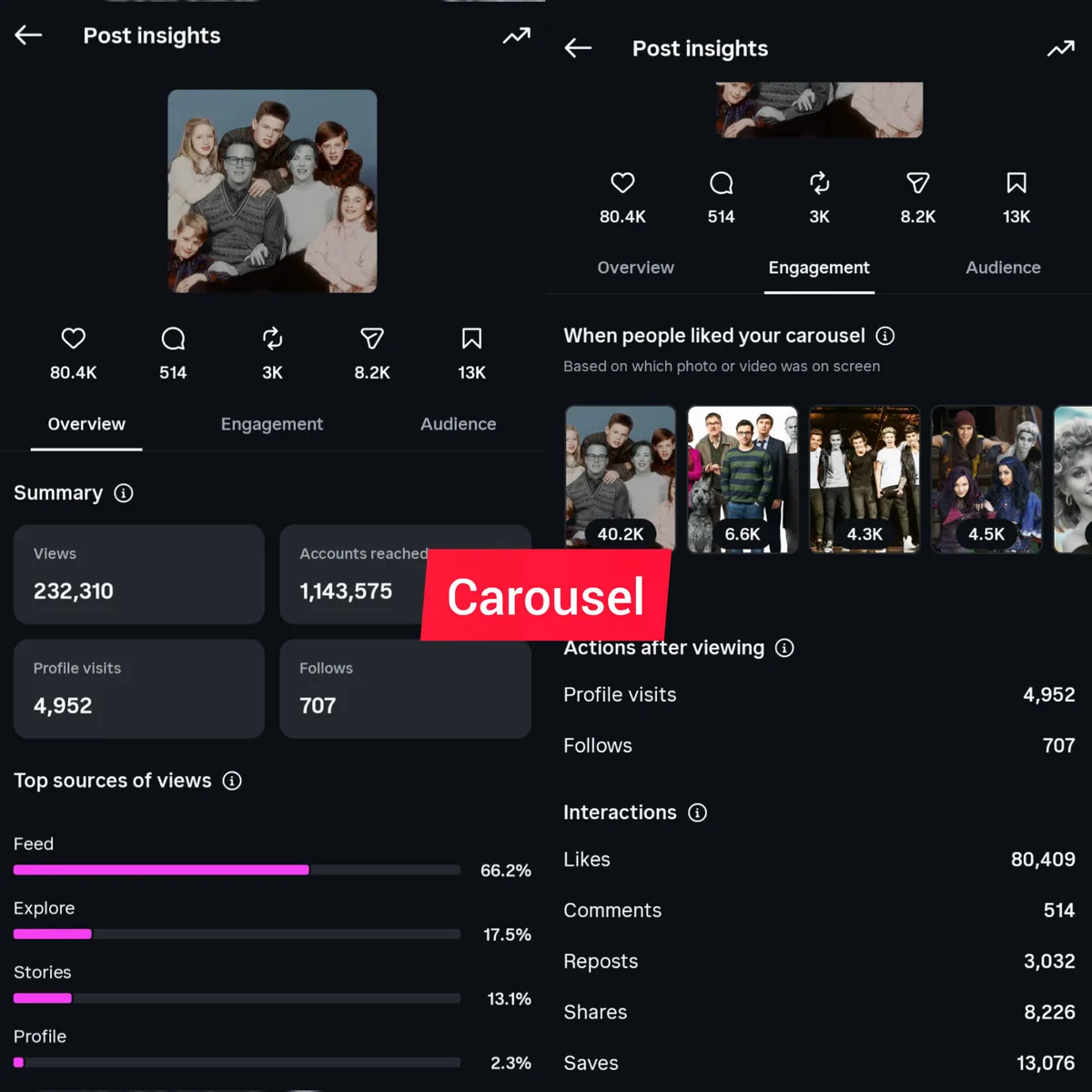
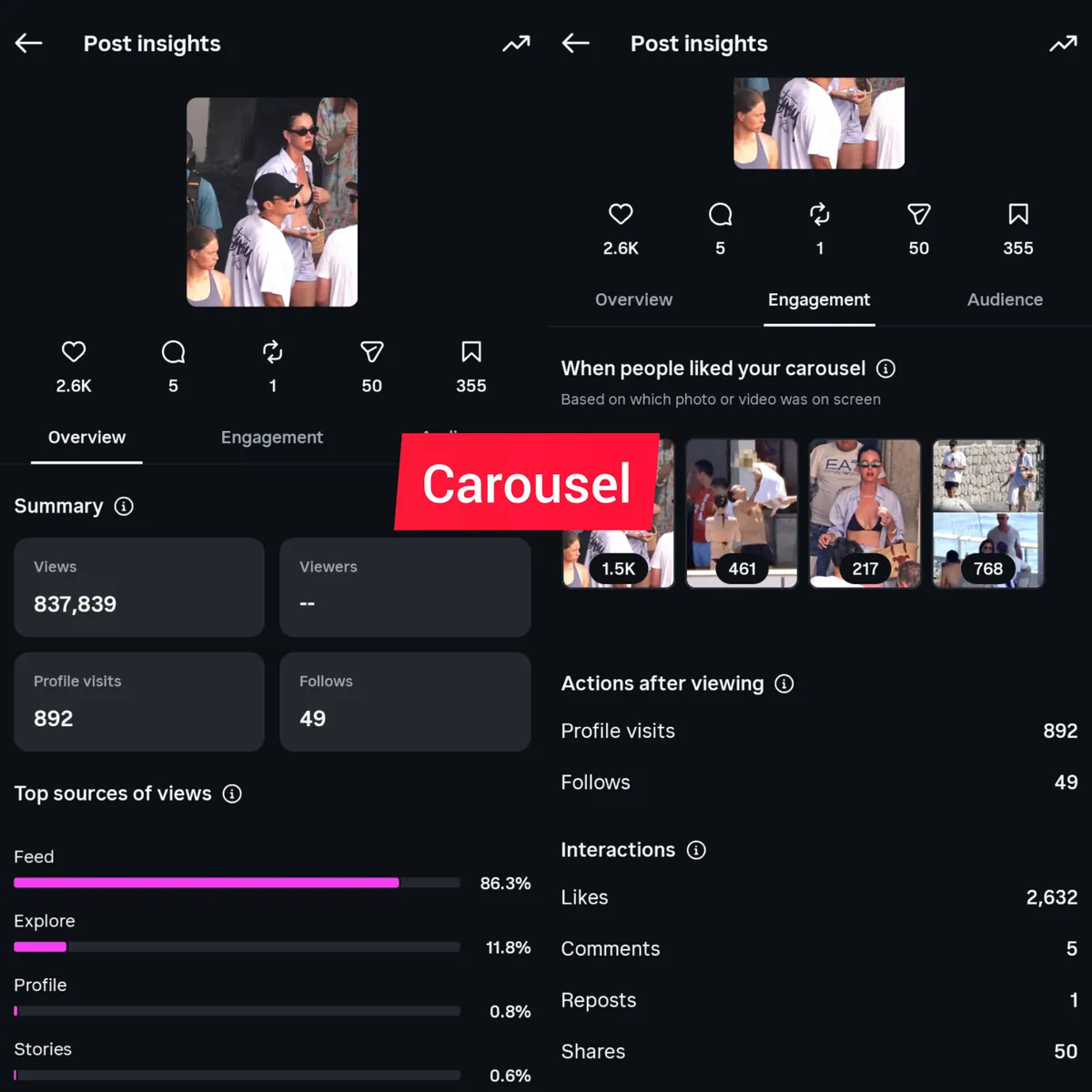
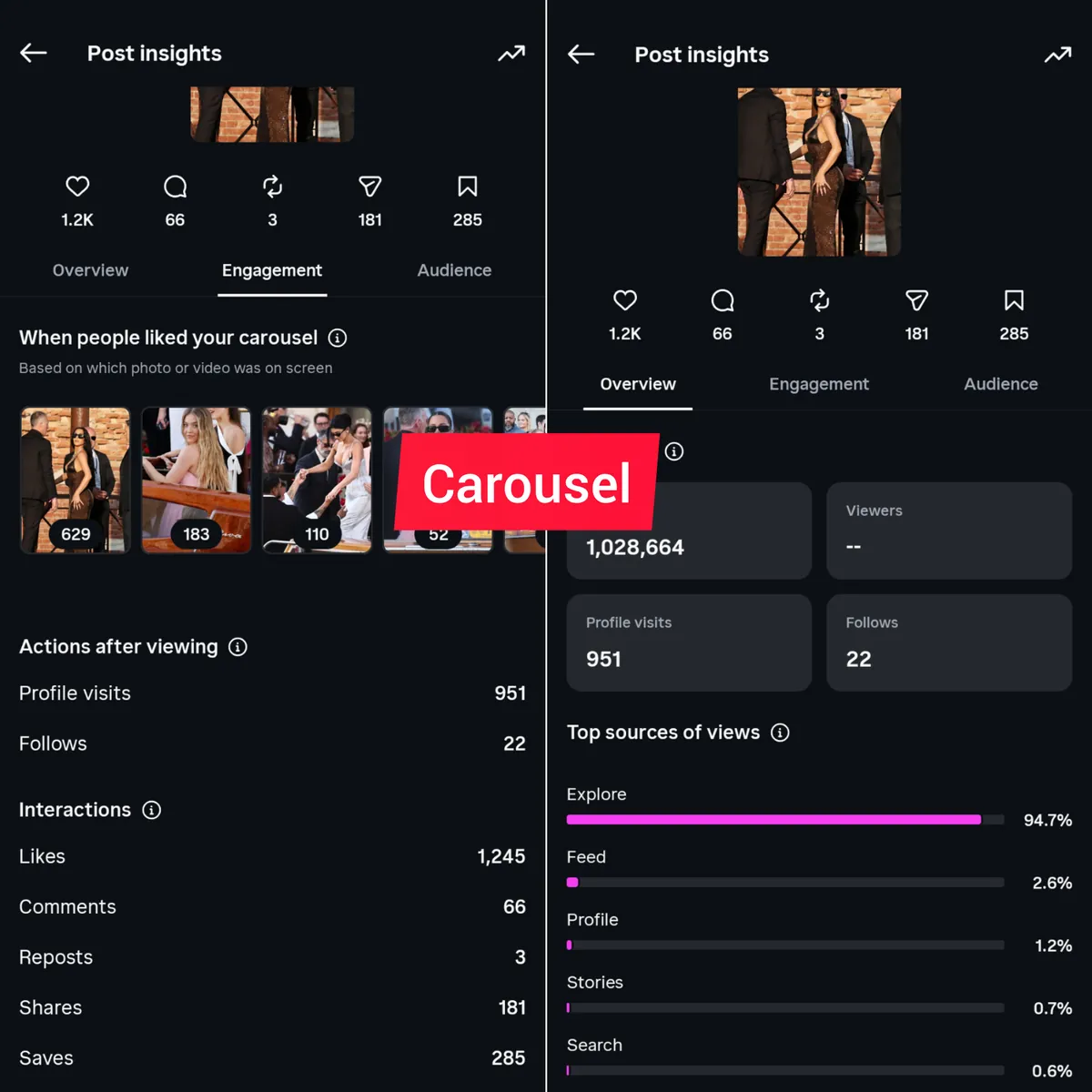
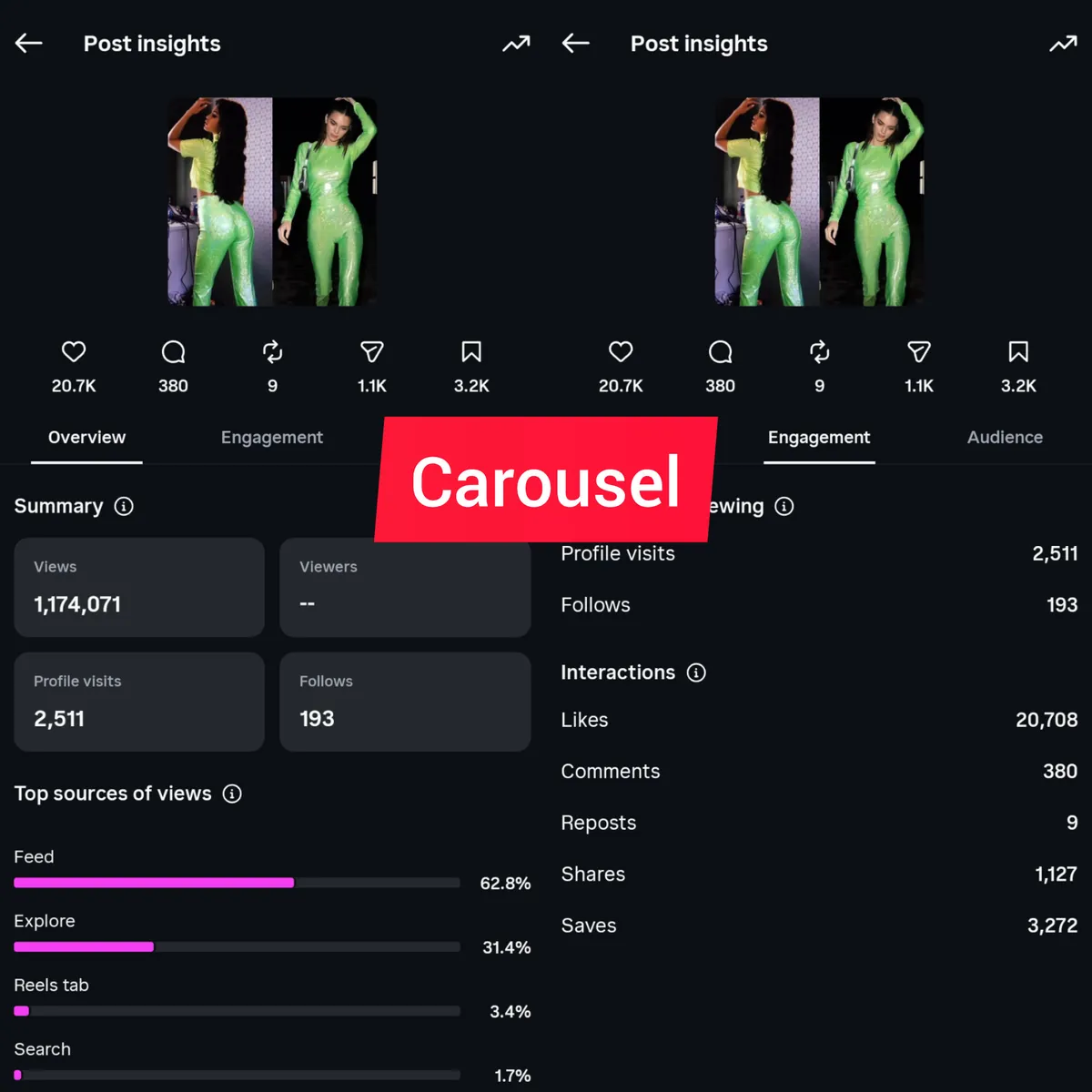
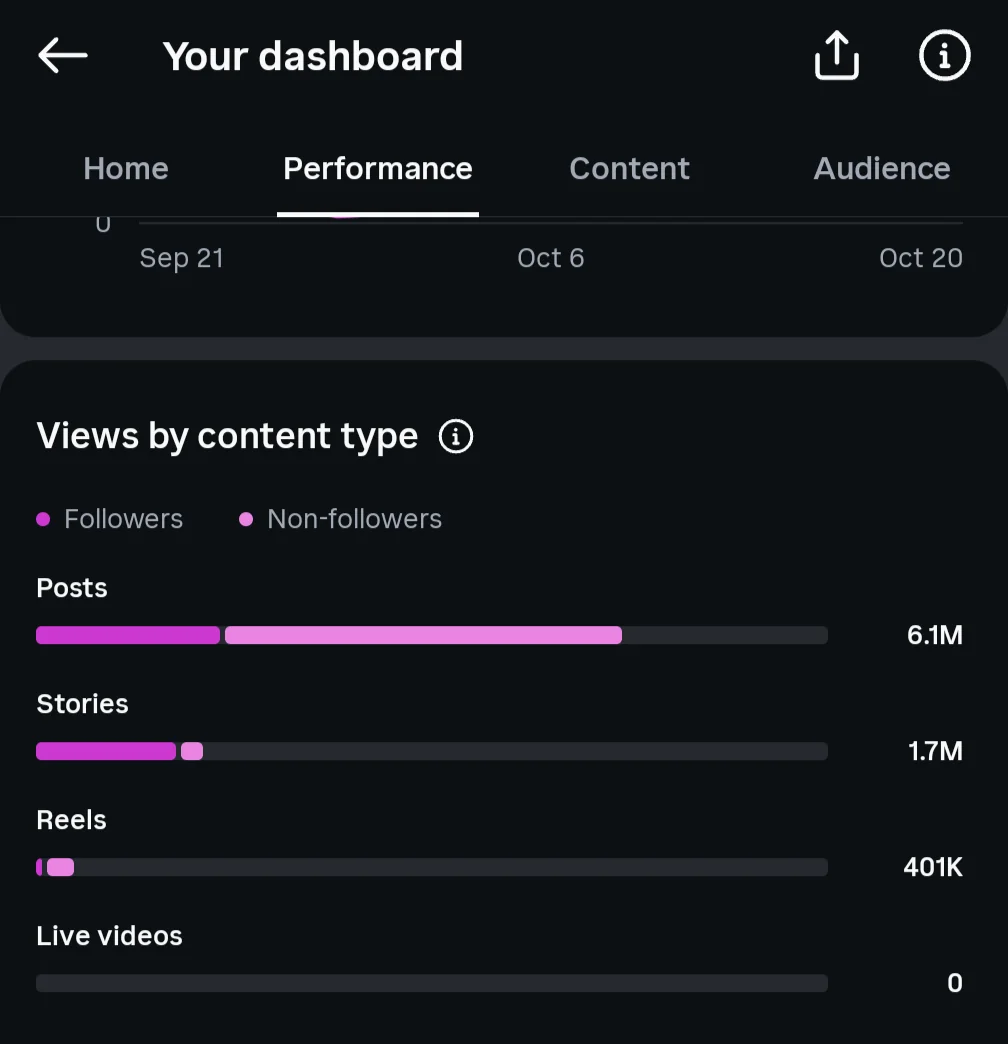
And it is new people who see carousels. This is the same page’s dashboard for the last 30 days. Instagram counts carousels in the “Posts” row, and most of the 6.1 million views there came from accounts that do not follow the page. Stories, by comparison, were seen almost only by followers.
If you want followers more than reach, post Reels
Reach and followers are not the same goal, and the best format for one is not the best for the other. If your main aim is to grow the number of followers, Reels did more for me than anything else.
Carousels bring followers too, as the 19 above show. But in my tests Reels brought about 1.2 times the new followers that carousels did. What helped me grow my pages was posting at least three Reels a day, every day.
One rule applies to both: stay in your niche. A sports page that posts a celebrity Reel because it might go far gets views from people who will never care about the next sports post. Every Reel and every carousel should be something your page is about.
What else changed the reach of the same post
Size and format are only part of it. In 2026 these things had a real impact on my pages when I posted the same content in two ways, and I treat each of them as a must.
Image quality, worth about 1.15 times the reach
I published the same content twice, once with a lower quality image and once with a sharp one. The sharp version got around 1.15 times the reach of the other one. Use the largest original you can find, and do not take a screenshot of a photo when you can download the photo itself.
A real face in the picture
On my pages this is no longer a discussion: images with no real human face got less reach than images with one. By a face I do not only mean your own face or content about you. If you run a news page and post about a celebrity, use a photo of that person, as long as you have the rights to use it.
Zoom in closer on that face
When the image has a face, crop it a bit closer than feels natural. In my experience a close face makes people stop, and once they stop they read the post instead of scrolling past it. A face that is small in a wide photo does much less.
Less text on the image
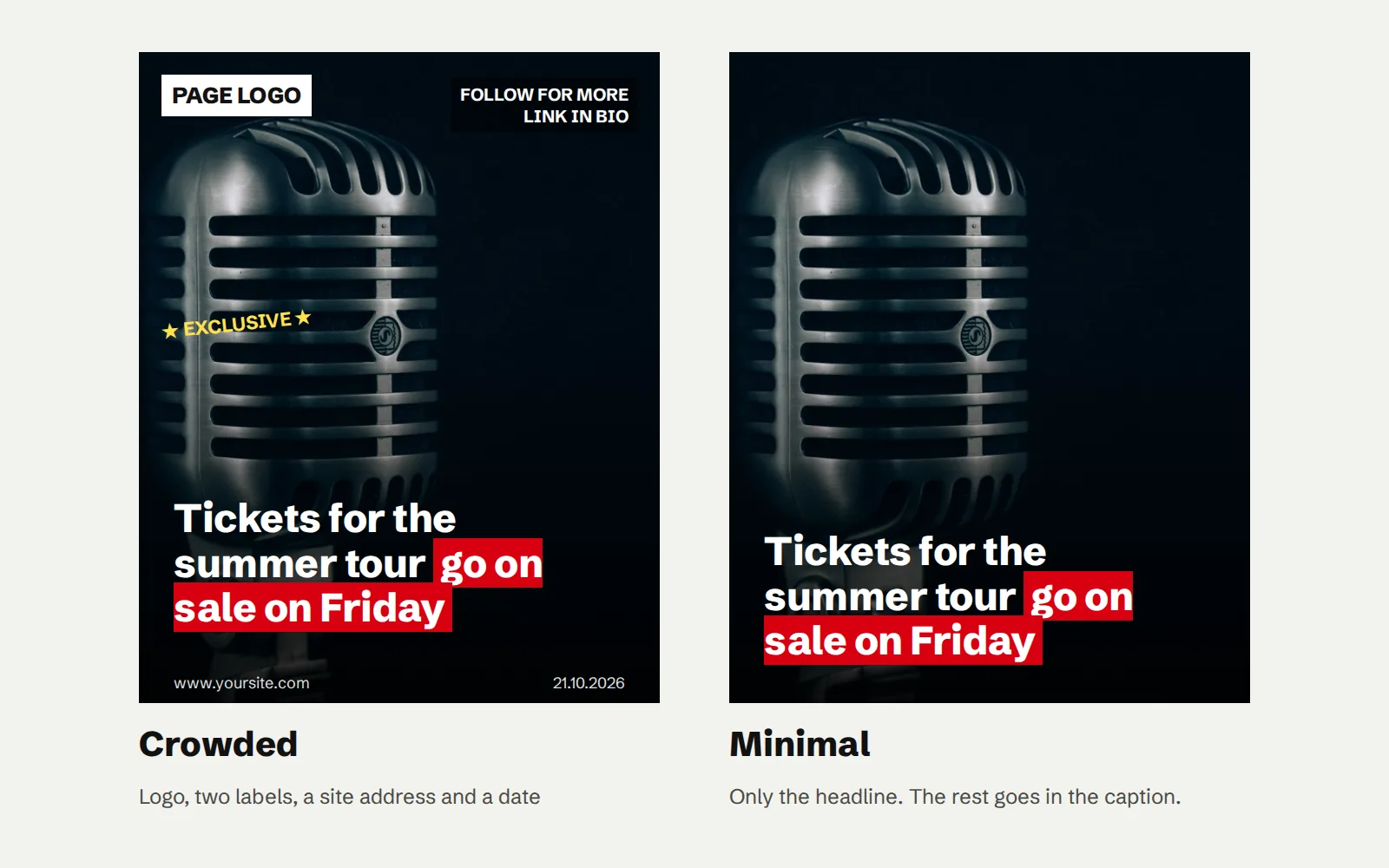
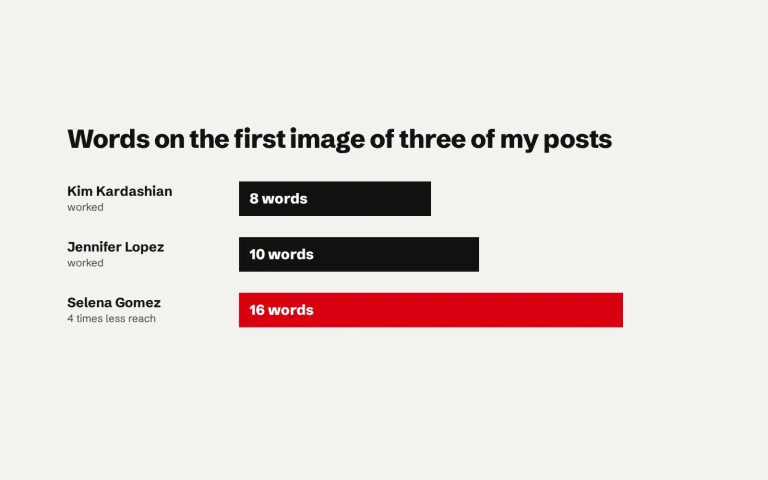
This one is just as important as the others. I posted the same post twice: once with only the headline, and once with a logo, a small line of text in one corner and another small line somewhere else. The busy version got less reach. Keep the image as minimal as possible, put only the information that matters on it, and move everything else to the caption.
The caption and the first 24 hours
Two smaller things still gave a light lift in reach. The first is a caption of 200 to 500 characters, enough to give the context you took off the image. The second is replying to comments in the first 24 hours after posting. Neither matters as much as the size or the image, but both are free.
What I personally suggest you avoid completely
- Images with another source’s watermark. In my experience, a post like this gets less reach 6 to 8 times out of 10.
- Blurred images. If the photo is soft, find a better one or do not post it.
- Faceless images. They can sometimes work, but in 2026 I suggest focusing on content with a face in it.
- Text in many places on the image. One headline in one place. Everything else goes in the caption.
Making the 1080×1350 version with JOQ
I built JOQ because making these images by hand, 30 to 40 a day, took hours of my time. Its Feed size is 4:5 at exactly 1080×1350, and it also saves a square version and the 1080×1920 story from the same design. Every template puts the headline in one place, with a box behind the words that matter, which is the minimal look that worked best for me.
For a carousel, make each slide with the same template and the same highlight colour, so the slides look like one set when people swipe. JOQ remembers your template, colour and logo in your browser, so the second slide starts where the first one ended.
.jpg)